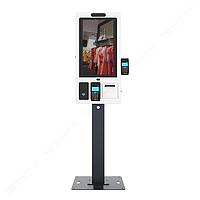
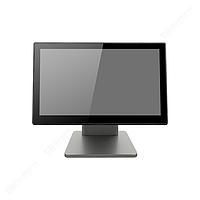
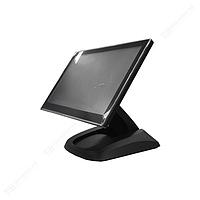
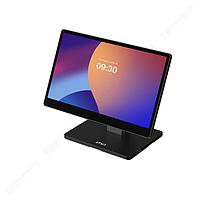
POS machine
Retail counters, restaurants, service desks, and mobile checkout points all depend on one thing: a payment and transaction workflow that stays fast, stable, and easy to manage. In that environment, choosing the right POS machine is not only about screen size or operating system, but also about how the device fits daily operations, peripherals, connectivity requirements, and the checkout experience.
This category brings together Android-based POS hardware for fixed and mobile use cases, with options suited to countertop billing, customer-facing checkout, and on-the-go transactions. It is especially relevant for businesses that need a practical balance between touchscreen operation, receipt printing, barcode or QR workflows, wireless communication, and compact deployment.
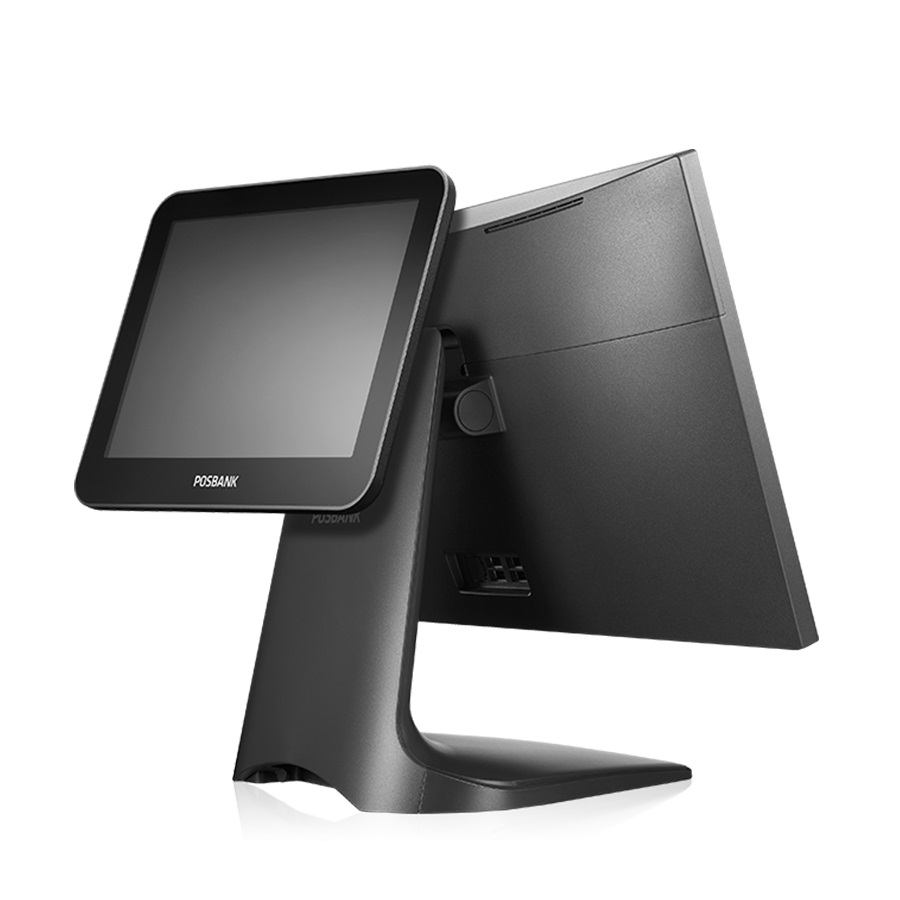
Where POS machines fit in everyday business operations
A modern POS setup usually sits at the center of the front-end workflow. It handles order entry, payment processing support, receipt output, staff interaction, and in many cases customer display or barcode-based item lookup. For B2B buyers, this means the selection process should focus on operational fit rather than just headline specifications.
Desktop models are commonly chosen for cashier counters where a larger display, integrated printer, and multiple I/O ports are useful. Mobile formats are more suitable when staff need to process transactions away from the counter, such as in table service, queue busting, pop-up retail, or field-based selling. If your workflow also relies heavily on item identification, it may be useful to review barcode scanner options alongside POS hardware.
Desktop, tablet, and mobile formats for different checkout models
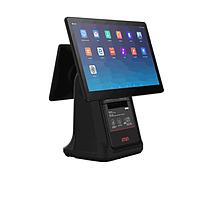
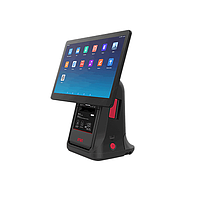
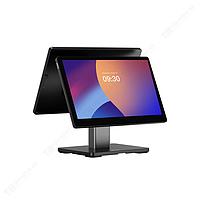
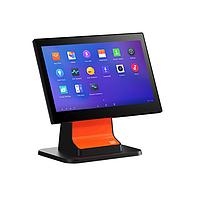
This category includes several hardware styles, each designed for a different operating model. Desktop POS systems such as the IMIN D4-503, IMIN D4-505, and IMIN D4-504 Pro are better aligned with permanent checkout counters. Their larger displays, integrated receipt printing, and broader port availability can simplify connection to drawers, network infrastructure, and other front-counter devices.
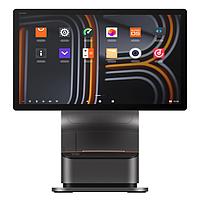
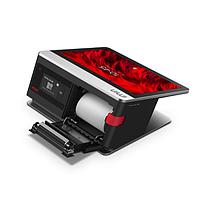
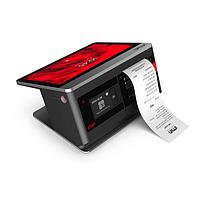
Tablet-based systems such as the IMIN Falcon 2 Tablet POS and IMIN Falcon 2 Max Tablet POS offer a more flexible layout. They can work well in hospitality, boutique retail, or service environments where a cleaner counter appearance and easier repositioning matter. Mobile units such as the IMIN Swift 1, Swift 1 Pro, Swift 2, and Swift 2 Pro are designed for portability, combining touchscreen operation with compact form factors and, in several models, integrated printing and scanning support.
Key features that matter when comparing POS hardware
For most buyers, the first priority is whether the device can support the intended software environment and transaction flow. Android-based POS terminals in this category offer touchscreen interfaces, wireless connectivity, and hardware combinations that can suit cloud POS applications, inventory checking, loyalty workflows, and digital payment support depending on system integration.
Other important considerations include display size, memory and storage, wireless options, and peripheral connectivity. Some models emphasize mobility with Wi-Fi, Bluetooth, 4G LTE, and NFC, while countertop units focus more on Ethernet and extensive ports for attached devices. Integrated receipt printing is also a major distinction, especially for businesses that want a cleaner all-in-one deployment without adding a separate printer.
In customer-facing environments, a secondary screen can also be useful. For example, the IMIN D4-505 includes a dual-display concept, while the IMIN D4-504 Pro combines a large main screen with an additional customer display and built-in thermal printing. These details can improve order confirmation and reduce friction during payment or pickup.
Examples from the IMIN product range
IMIN is one of the key manufacturers represented in this category, with product lines covering fixed checkout, portable operation, and tablet-style POS deployment. The Falcon 2 series is oriented toward businesses looking for a larger Android tablet experience, including variants with Wi-Fi or LTE connectivity. The Falcon 2 Max extends that concept with a larger display and higher resolution, which may be relevant where screen clarity and workspace are priorities.
For mobile transaction handling, the Swift series is a practical reference point. Models such as the Swift 1 and Swift 2 families combine handheld operation with features that can support barcode or QR workflows, NFC-based usage, and receipt output in a compact footprint. On the desktop side, the D4 series addresses conventional cashier setups where businesses want an all-in-one structure with touchscreen control and built-in printer capability.
While this page focuses on the category as a whole, comparing device type first is usually more effective than jumping directly to CPU or memory. Once the format is right, details such as RAM, storage, display resolution, communication options, and battery capacity become easier to evaluate in context.
How to choose the right POS machine for your setup
Start with the operating environment. A fixed checkout lane usually benefits from a desktop terminal with stable power, more ports, and a larger screen. A restaurant that takes orders at the table may prefer a mobile POS with wireless connectivity and onboard printing. A retail concept that wants a flexible, modern counter may lean toward a tablet POS paired with accessories and software-based workflows.
Next, consider how the unit will interact with your wider system. If barcode reading is central to your operation, the relationship between the POS terminal and handheld terminal devices or dedicated scanners may influence your decision. If receipt output is frequent, integrated printing can reduce hardware clutter. If customer confirmation matters, a dual-screen or customer-facing display may be worth prioritizing.
It is also important to check connectivity and deployment constraints. Wi-Fi may be enough for many stores, but some applications need Ethernet for fixed stability or LTE for operation outside a permanent network. Battery size, weight, and drop resistance become more relevant as soon as the device is intended for mobile or semi-mobile use.
Building a more complete front-end transaction ecosystem
POS hardware rarely works alone. In many business environments, it forms part of a wider ecosystem that may include scanners, receipt and label output, mobile terminals, and software-connected peripherals. Choosing within this category should therefore reflect not just the terminal itself, but how the hardware supports stock lookup, billing, order taking, and customer service speed.
For businesses expanding beyond a simple cash counter, it can be useful to explore related equipment such as POS machine solutions for different deployment styles or printing-focused systems in label and printing categories when output requirements go beyond standard receipts. The right combination depends on transaction volume, workspace constraints, and how much mobility your team needs.
What businesses typically look for in this category
Common priorities include Android compatibility, responsive touch operation, stable connectivity, integrated thermal printing, NFC support, and practical screen sizes for staff use. In hospitality and retail, buyers also tend to look for hardware that is easy to deploy, simple to train on, and suitable for continuous daily use.
Another common requirement is flexibility across branches or formats. A business may use a desktop terminal at the main cashier, a tablet POS for assisted selling, and a mobile POS for line busting or outdoor operation. That is why category-level comparison is useful: it helps identify which hardware format matches the workflow before narrowing down to an individual model.
Final considerations before selecting a POS machine
The most suitable POS machine is the one that supports your real transaction process with the fewest compromises. For some businesses, that means a fixed all-in-one desktop terminal with printer and customer display. For others, it means a lightweight handheld device that can scan, print, and stay connected throughout the day.
This category is designed to help buyers compare those options in a structured way, from desktop and tablet configurations to compact mobile units. By focusing on workflow, connectivity, printing needs, and deployment conditions, you can shortlist the hardware that fits your business more accurately and build a more reliable point-of-sale environment over time.
Get exclusive volume discounts, bulk pricing updates, and new product alerts delivered directly to your inbox.
By subscribing, you agree to our Terms of Service and Privacy Policy.
Direct access to our certified experts