Display Switches
Modern operator interfaces often need more than a simple on/off command. In control panels, kiosks, embedded equipment, and industrial electronics, switching elements are increasingly expected to provide status indication, labeling flexibility, and a cleaner human-machine interface. That is where Display Switches become especially useful, combining switching functionality with visual feedback in a compact format.
Compared with conventional pushbuttons, this category supports applications where the switch itself can communicate state, function, or user guidance. Whether the goal is to simplify panel layouts, improve operator clarity, or support configurable controls, display-based and illuminated switch technologies offer a practical bridge between hardware input and visual interface design.
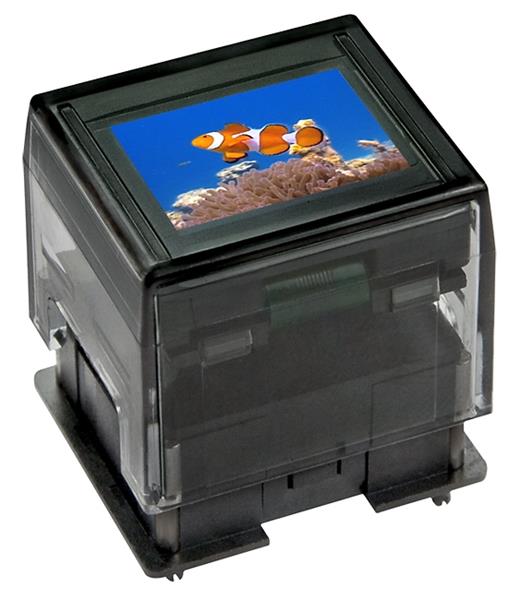
Where display switches fit in modern equipment design
Display switches are commonly selected when a machine builder or product designer wants each control point to do more than provide contact closure. A switch with an integrated LCD, OLED, or illuminated touch surface can help present symbols, colors, operating states, or context-specific functions directly at the point of interaction.
This is especially relevant in equipment with limited panel space or changing operating modes. Instead of relying only on fixed legends, separate pilot lights, or external overlays, the switch can become part of the visual interface itself. In some projects, this reduces wiring complexity and helps create a more intuitive control surface.
Typical technologies available in this category
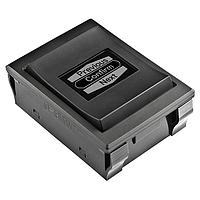
The products shown in this category cover several interface approaches. Some are programmable switches with integrated LCD or OLED displays, while others use capacitive touch sensing with illuminated indicators. The right choice depends on whether the application prioritizes dynamic labeling, tactile confirmation, environmental sealing, or low-force touch operation.
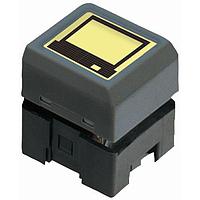
For example, models from NKK Switches illustrate the programmable display-switch concept well. Products such as the ISC15ANP4 use an OLED SmartDisplay format, while devices like the IS15EBFP4RGB and IS15BBFP4RGB use integrated LCD displays with RGB illumination. These types of parts are typically relevant when interface flexibility and visual communication are central to the design.
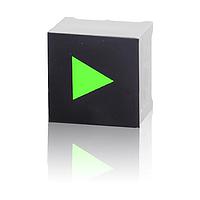
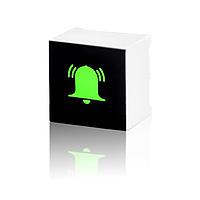
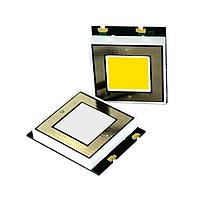
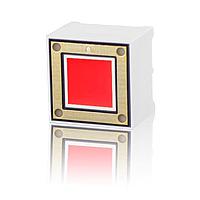
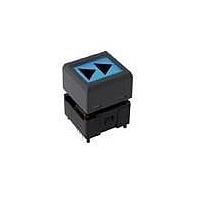
In contrast, touch-based options from VCC focus on illuminated capacitive input. Examples such as the CTHS15CIC01ONOFF, CTHS15CIC06ALARM, and CTHS15CIC04ARROW show how color and icon-oriented variants can support status-driven user interfaces. For applications needing a sealed and visually distinctive touch element, the Well Buying TS006-BDMKM4CRBYGB-W100 is another useful reference within this category.
Common applications for display and illuminated switch interfaces
These products are often used in control panels, medical devices, test systems, smart appliances, and OEM equipment where operators need direct visual guidance. A display-equipped switch can show a changing function, menu assignment, or system state, while an illuminated touch switch can indicate readiness, alarm status, or active mode.
They are also well suited to equipment that must support multiple operating profiles or multilingual labeling. Instead of changing printed legends or replacing front panels, engineers can use programmable or illuminated interfaces to support a cleaner and more adaptable front-end design. This can be valuable in systems where usability and maintainability matter as much as electrical performance.
How to choose the right display switch
Selection starts with the intended user interaction. If the application requires a clear press feel and explicit actuation, a tactile display switch may be more appropriate. If the goal is a smooth front surface, low actuation force, or a modern interface style, capacitive touch options may be the better fit.
Next, consider the visual requirement. Some applications only need a simple illuminated indication, while others benefit from an integrated display capable of showing symbols, text, or changing interface states. Products in this category include solutions with LCD or OLED display elements, along with LED and RGB illumination options that support different visibility and interface-design needs.
Mechanical integration is equally important. Mounting style, actuator format, panel layout, and operating environment all affect the final choice. Through-hole parts may be preferred for certain embedded or panel assemblies, while temperature range, sealing approach, and current or voltage requirements should be reviewed against the system design before selection.
Examples of products in this category
For projects centered on configurable front panels, the NKK Switches ISC15ANP4 and IS15EBFP4RGB are representative examples of display-enabled switching. They combine operator input with integrated visual output, making them suitable for applications where legends, interface status, or mode indication may need to change over time.
For illuminated touch control, VCC square capacitive models such as CTHS15CIC04, CTHS15CIC06ARROW, and CTHS15CIC01ONOFF provide another approach. These devices are useful when the interface needs recognizable icons or color-coded feedback in a compact switch footprint. The Well Buying TS006-BDMKM4CRBYGB-W100 adds a different style of illuminated capacitive control, relevant to designs that emphasize both touch operation and multi-color indication.
In a broader switch ecosystem, users evaluating interface-oriented controls may also compare related technologies such as solid state switch solutions or browse other switch accessories when completing a panel or assembly design.
Design considerations beyond basic switching
When specifying display switches, it helps to think beyond the electrical contact alone. Visibility under ambient light, color meaning, operator recognition distance, and the role of the switch in the full interface should all be part of the selection process. A well-chosen interface component can make operation faster and reduce ambiguity for end users.
System architecture also matters. Some products in this category are best viewed as part of a larger human-machine interface strategy rather than as isolated components. If the project includes configurable controls, safety-related signaling, or multiple user states, coordinating switch choice with the wider panel logic can improve consistency and serviceability.
When display switches are preferable to conventional alternatives
Traditional pushbuttons remain effective for many straightforward control tasks, but they can become limiting when panel information changes frequently or when visual space is restricted. A display switch can consolidate actuation and indication into one component, helping reduce the need for separate labels or indicators.
That said, not every use case requires an advanced interface element. For machine protection or interlock-focused designs, users may need to explore dedicated safety switch options instead. The best category depends on whether the main design priority is operator communication, environmental robustness, safety function, or switching method.
Conclusion
Choosing the right display switch is ultimately about matching interface behavior to the real operating environment. Some projects need dynamic visual labeling, others need illuminated touch response, and some require a tactile switch with integrated display feedback. This category brings those options together for engineers, panel builders, and OEM buyers who need more capability than a standard switch can provide.
By reviewing the interface type, display technology, illumination method, and installation constraints, buyers can narrow the selection more efficiently. If your application depends on compact operator controls with built-in visual communication, display switches are a strong starting point for building a clearer and more functional front panel.
Get exclusive volume discounts, bulk pricing updates, and new product alerts delivered directly to your inbox.
By subscribing, you agree to our Terms of Service and Privacy Policy.
Direct access to our certified experts