When initially choosing a device, most attention is usually focused on MHz, the number of signal channels, or the price. These specifications are certainly important, but the long-term user experience is significantly affected by details that are often overlooked at first.
Especially in electronics labs, R&D areas, or environments with constant circuit repair, some seemingly minor details can appear almost daily.
Signal clarity has a more pronounced effect than the MHz level indicated on the device
Maximum frequency is always the most prominent feature in the specifications. However, in many common tests, what frustrates technicians more is the quality of the output signal.
A pulse generator with high jitter or background noise will cause slight waveforms on the pulse edges, resulting in unstable signals or small deviations in high-speed tests. These kinds of errors easily mislead testers into thinking the circuit is malfunctioning, when in fact the problem lies with the signal generator.
The exercises include:
- Clock testing
- Encoder simulation
- UART or SPI communication testing
- Microcontroller debugging
- Sensor response measurement
- This is usually more obvious.
Therefore, in addition to MHz, many engineers will also consider:
+ rise time
+ jitter
+ signal distortion
+ amplitude stability
+ DAC quality
before investing in a model for long-term use.
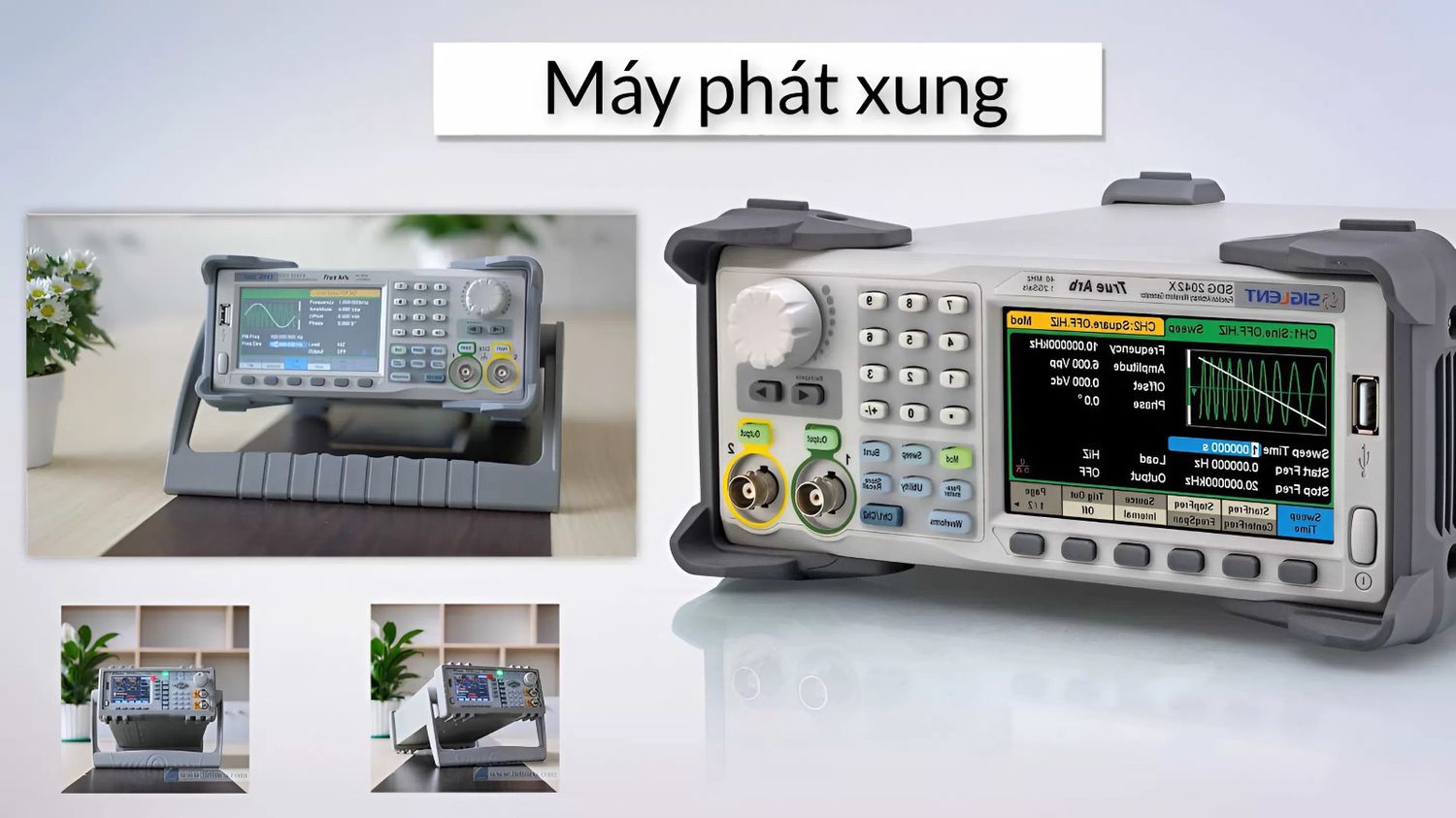
Some models, such as the SIGLENT SDG1032X, are quite popular due to their clean output waveform (waveform memory) and ease of operation, even for novice technicians.
Read more: How does the switching power supply affect the pulse signal?
There are machines with many waveforms, but editing them is quite time-consuming
Catalogs often show that the device supports dozens of waveforms, giving the impression of being very versatile. However, the differences between models only become apparent when it comes to actual signal processing. Some models change duty cycles very quickly. Others require navigating through multiple menu layers to adjust bursts. Some models have quite frustrating parameter limitations when simulating specific signals.
This is particularly noticeable in the following environments:
- circuit board repair
- power supply testing
- PWM signal debugging
- sensor research
- simulation of abnormal signals
- because waveform changes occur continuously.
If the interface isn't user-friendly, simply setting up a test can take up a significant amount of time each day.
Waveform memory is often overlooked when choosing a machine
This is something many people only notice after a few months of use. Initially, everyone thinks a sine, square, or pulse generator is sufficient. But when they start needing custom waveforms or longer simulated signals, they realize that small memory significantly limits performance.
Tests include:
1. Sensor data simulation
2. CAN or LIN simulation
3. Creating special pulse sequences
4. Audio circuit testing
5. Noise simulation
These often require long waveforms or a lot of continuous data. If memory is low, the signal is prone to short loops or reduced detail. In small research labs, replacing a machine simply due to insufficient waveform memory is quite common.
The interface port may look like a secondary port, but it's used almost every day
When first purchasing an instrument, many people almost completely ignore LAN, USB, or SCPI control, thinking manual operation is sufficient. Later, they realize that saving presets, controlling from a PC, automating testing, synchronizing oscilloscopes, and running repetitive measurement sequences are all directly related to the instrument's connectivity.
Especially in production or continuous repetitive testing environments, automation significantly impacts operational speed. A well-connected oscilloscope often results in a much cleaner workflow in the long run.
The screen and rotary knob have a greater impact than you might think
It sounds simple, but this is something you interact with daily. Some inexpensive models use small screens, waveform displays that are difficult to see, or menus with too many layers. Initially, it doesn't seem like a big problem, but after a few hours of continuous debugging, you'll start to feel tired and lose your workflow.
Especially for technicians who have to constantly change:
+ frequency
+ amplitude
+ offset
+ modulation
+ burst mode
between different tests, the user experience is affected much more significantly than a few MHz difference in specifications.
Long-term stability is the easiest way to distinguish a good machine from a bad one
Some models show almost no significant difference in performance during the first few days of use. Only after several months of continuous operation do differences begin to become apparent in:
+ Frequency drift
+ Amplitude stability
+ Operating temperature
+ Button durability
+ Cooling fan
+ Knob smoothness
These details rarely appear prominently in brochures, but they directly affect the user experience on a daily basis. In labs or R&D centers, the stable operation of equipment for many hours is often considered more important than impressive specifications on paper.
When choosing a pulse generator, you should look at long-term user experience
Technical specifications are still essential, but the actual user experience is what determines whether a device is suitable after a period of operation.
Slight details such as waveform memory, jitter, user interface, or connectivity constantly reappear during testing and repair.
Therefore, before choosing a pulse generator, many technicians today will spend time observing how the device operates in practice, its operating speed, and its suitability for their specific tasks, rather than simply looking at the MHz or number of signal channels in the catalog.